Your shopping list, step by step
Midnight Helper tells you which enchants, gems and consumables you are missing, and puts them on a shopping list. This page walks you from the auction house to your gear. In the game the same steps are in the window How do I buy this?
Before you start
- Install Midnight Helper (this is how) and type
/mhin the chat box. If a window opens, it works. - Be level 90. Below that, Midnight Helper only counts what is missing; the full list comes at level 90.
- Open your character window with the key
C. Beside it is the Gear check. Red means an enchant or a gem is missing. Green is our advice, orange is another enchant, yellow means we can't tell. - Click Buy what's missing. Your shopping list opens: what you have, what you need, and how many to buy. Where it says (a choice), there are several options; the list already shows Midnight Helper's pick.
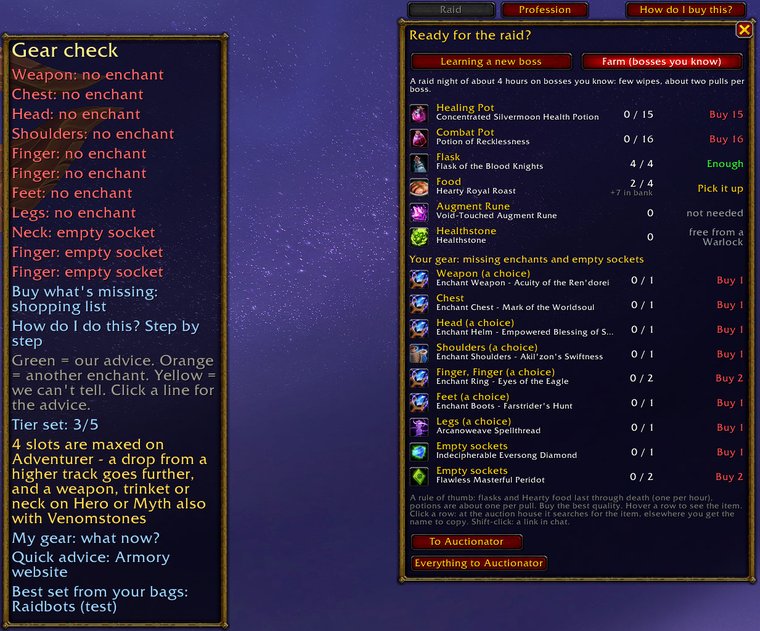
Left: the Gear check beside your character window. Right: the shopping list. Red means you still have to buy it.
- You need gold. One thing can cost a few hundred to a few thousand gold: on our realm a chest enchant cost about 2,600 gold on 26 October. Prices differ per realm. The safest way for a beginner to earn gold: gather herbs or ore and sell them at the auction house.
- Go to the auction house in Silvermoon City, in The Bazaar. That part of the city is open to Horde and Alliance. In the Midnight Helper window, the Silvermoon City Guide has a pin for it.
- You do not need any other addon: Midnight Helper works with the game's own auction house. Do you have Auctionator? Then the list has two extra buttons, To Auctionator and Everything to Auctionator.
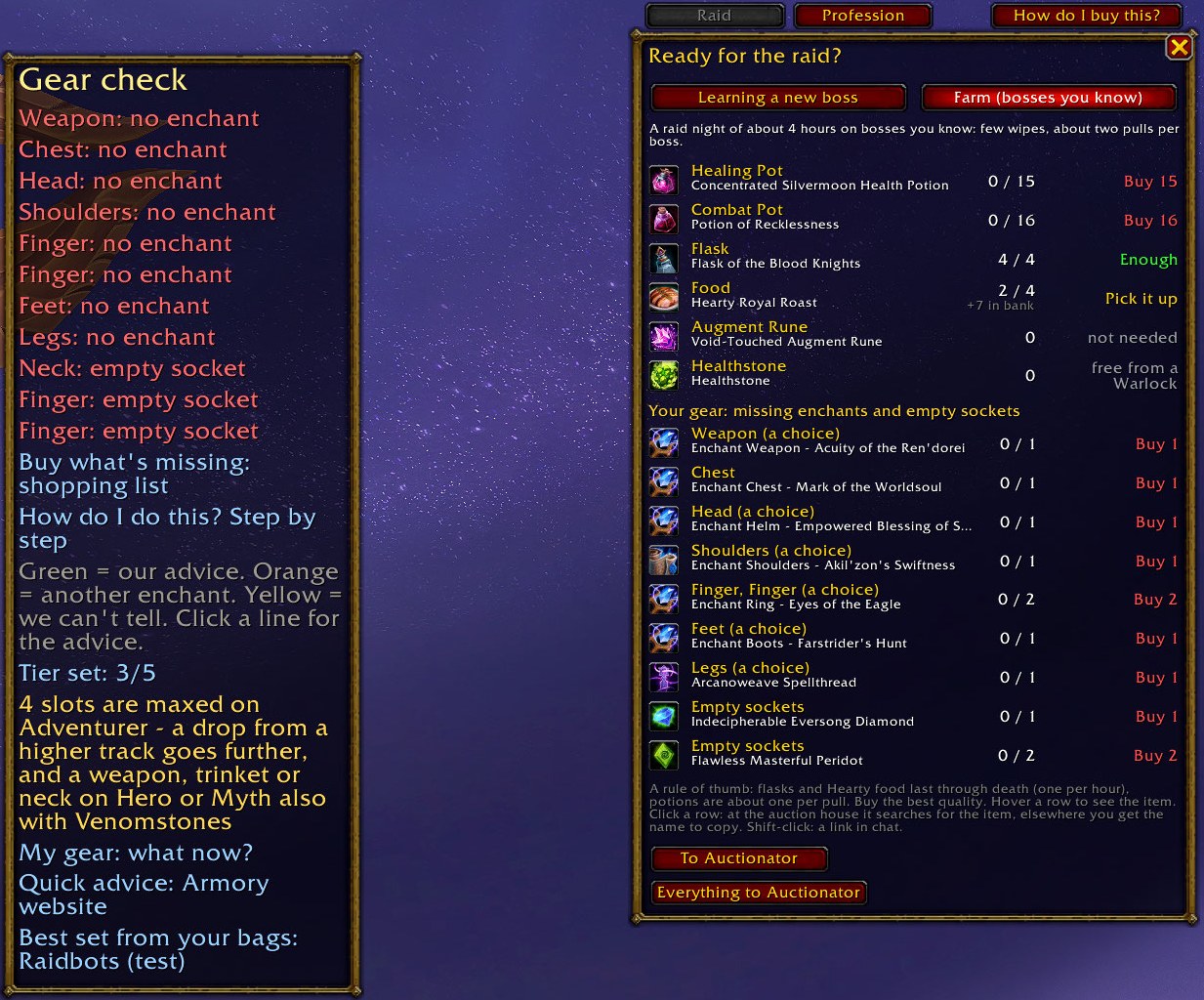
Where to find it in the game: the button How do I buy this? above the shopping list, or How do I do this? Step by step under Buy what's missing beside your character window.
Buying at the auction house
- Go to an auction house and open your list: the button Shopping list (MH) under the auction house window (while something is still missing it says, for example, Shopping list: 3 to buy), or Buy what's missing in your character window.
- Click a line in your list. The auction house searches it for you.
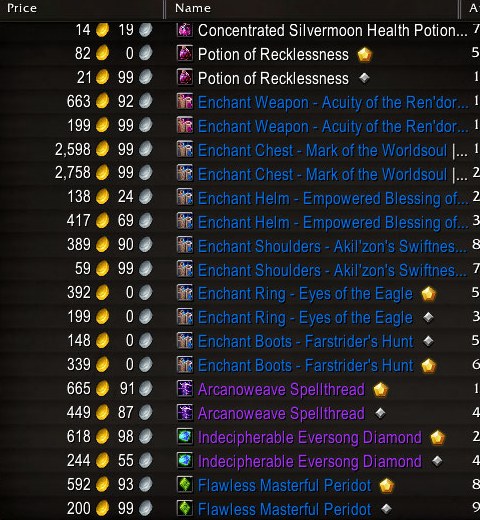
- You often see two lines for one thing: silver and gold. Only the small icon behind the name tells them apart; the colour of the name says nothing. Gold is always the stronger one.
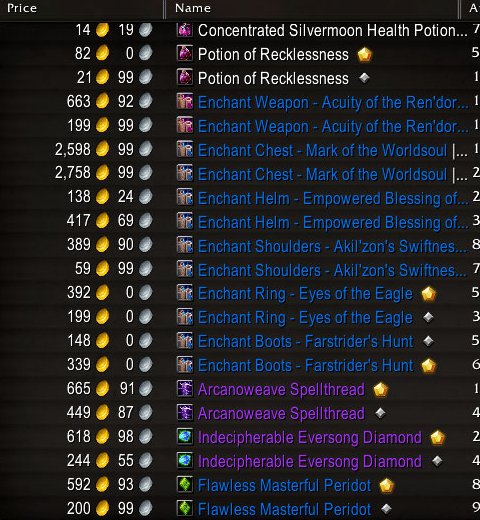
A real auction house (with the addon Auctionator). Look at the small icon behind the name: gold or silver. Flawless Masterful Peridot, for example: gold 592, silver 200.
- Compare the price per item and buy gold. Is silver just as expensive, or even more? Then certainly gold: some sellers count on players who click too fast. Food and the Augment Rune come in one kind only.
- Check the whole name, not only the icon: a gold Quick Peridot is weaker than a silver Flawless Quick Peridot.
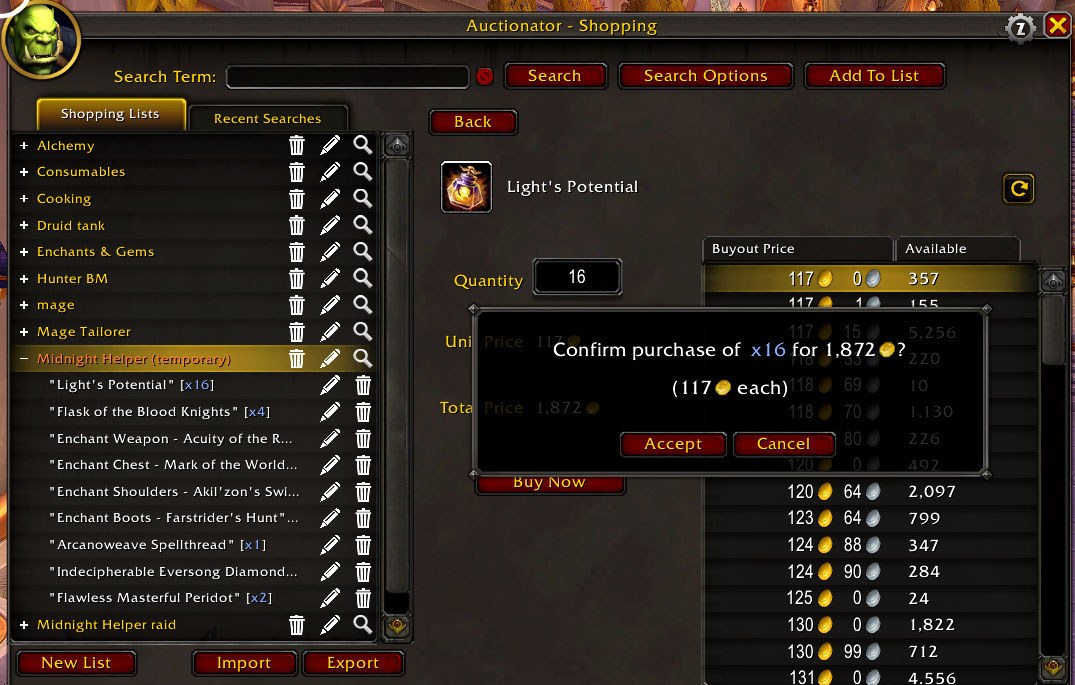
- Click the line, type the amount that is red in your list, look at Total Price, and click Buy.
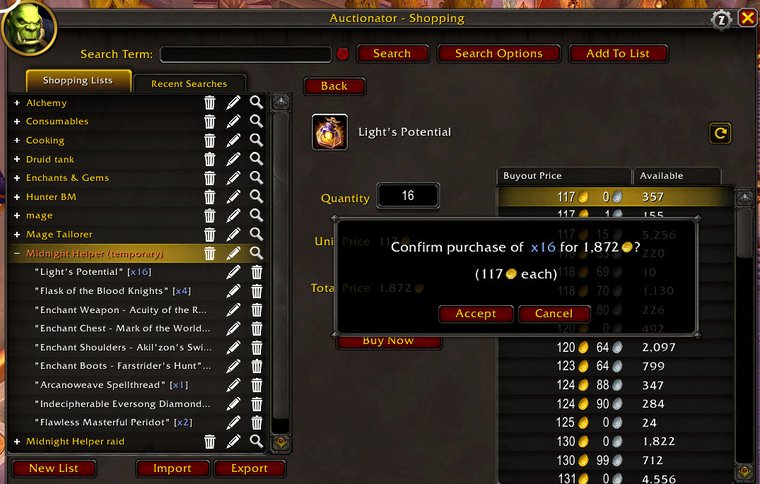
With Auctionator, Midnight Helper's list is on the left. Type the amount, click Buy Now, check the total in the question, then click Accept.
Putting it on
Right-click the scroll in your bags, then click the item in your character window (C). Legs work the same way, with a spellthread or an armor kit.
Shift + right-click the item in your character window, drag the gem onto the socket and click Apply. A gem that is already in it breaks.
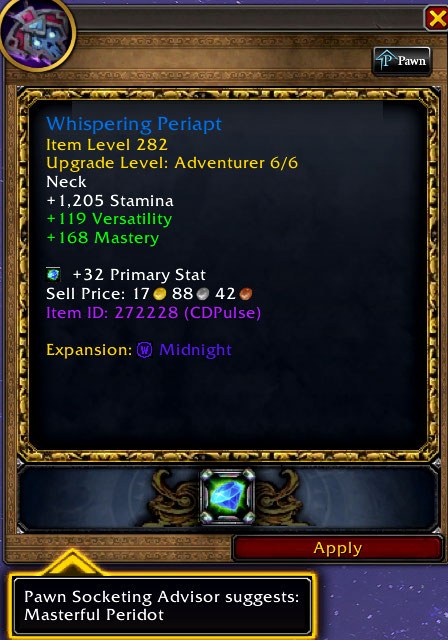
The gem is on the socket. Now click Apply.
Right-click the oil, then click your weapon. It lasts 2 hours.
Which gear has a socket
- Neck: always
- Ring 1: always
- Ring 2: always
- Helm: sometimes
- Bracers: sometimes
- Belt: sometimes
Every gem fits every socket. You can wear only one Eversong Diamond.
Next: how to install Midnight Helper · how you play your spec